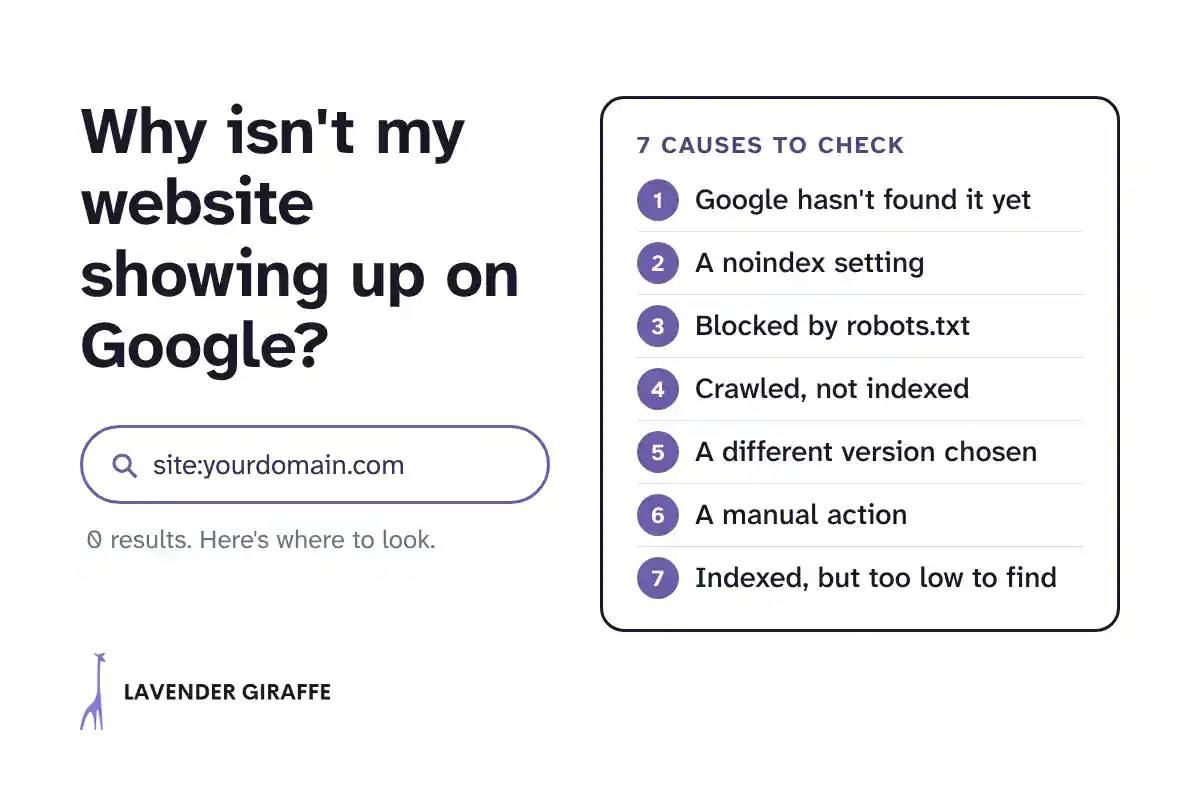
You search for your business, or for the service you offer, and your website isn't there. Not on page one, not on page five. A website that doesn't show up on Google can't bring you inquiries from search, however good it looks.
If you're asking "why is my website not showing up on Google?", there are seven common causes, and each one can be checked with Google's own tools. This post walks through them in the order worth checking, with what to look for and what to do about each.
One distinction first. A website that isn't on Google at all is a different problem from a website that used to rank and dropped. If your traffic fell after a period of steady results, our guide on why your Google ranking dropped and what to do about it is the better starting point.
First, confirm what's happening
Before you fix a website not showing on Google, two checks tell you whether Google knows about it at all.
- Site search: type site:yourdomain.com into Google. If nothing comes back, Google has no pages from your site in its results. If some pages come back, Google knows the site, and the question becomes which pages are missing. Google's own documentation of the site: operator (updated December 10, 2025) notes that the list "is not always exhaustive," so treat it as a quick check, not a full count.
- The URL Inspection tool: in Google Search Console, paste the address of the page you're missing. "URL is on Google" means the page is eligible to appear. "URL is not on Google" means it can't appear, and the tool shows the reason, as Google's URL Inspection tool help explains.
If you don't have Search Console set up yet, that's the first fix. It's where Google reports directly what it sees on your site.
Why is my website not showing up on Google? Seven causes to check in order
1. Google hasn't found the site yet
For a new website, start here. Google's crawling and indexing FAQ (updated December 10, 2025) says "the most common reason that a site is not indexed is because it's just too new; be patient."
What to do:
- Add the site to Search Console and submit an XML sitemap, a file that lists your pages for Google.
- Make sure other pages link to the ones you want found, starting with your homepage and main navigation.
- Request indexing for your most important pages in the URL Inspection tool.
Patience is part of the fix. Google's page on asking Google to recrawl your URLs (updated December 10, 2025) says "Crawling can take anywhere from a few days to a few weeks."
2. A noindex setting is telling Google to stay away
A noindex rule tells Google not to include a page in its results. It's useful for pages you want hidden, and it can keep pages out of Google by mistake.
On WordPress, check Settings, Reading, Search engine visibility. If the box "Discourage search engines from indexing this site" is ticked, WordPress adds a noindex rule to every page, as the WordPress Reading settings documentation (updated June 8, 2024) describes. The box is useful while a site is being built, and easy to forget at launch. Search engine optimization (SEO) plugins can set noindex on individual pages or whole content types too.
In Search Console, the Page indexing report lists these pages under "URL marked 'noindex'." Remove the rule from any page you want found.
3. robots.txt is blocking the pages
The robots.txt file tells search engine crawlers which parts of your site they can access. A single line such as "Disallow: /" blocks the whole site.
Google's robots.txt introduction (updated December 10, 2025) is clear that robots.txt "is not a mechanism for keeping a web page out of Google," but a block still stops Google from reading your pages. Open yourdomain.com/robots.txt in a browser and look for Disallow lines that cover pages you want found. In Search Console, they appear as "URL blocked by robots.txt."
4. Google crawled or found the page but didn't index it
This is where confusion starts, because nothing on your side looks broken. The Page indexing report shows two statuses:
- Crawled, currently not indexed: Google visited the page and decided not to add it, for now.
- Discovered, currently not indexed: Google knows the page exists but hasn't visited it yet.
Google's Page indexing report help says plainly that "Google doesn't index all pages across the web," and that a page in "crawled, currently not indexed" "doesn't necessarily indicate an issue that needs attention." For missing parts of a site, it advises: "make sure they are linked properly."
What helps:
- Internal links: link to the page from related pages that Google already indexes, using descriptive link text.
- Distinct content: if the page says much the same as another page on your site, merge the two or make each one answer a different question. A page with little of its own to say may give Google less reason to keep it.
Then request indexing once in the URL Inspection tool and give it time.
5. Google chose a different version of the page
If the same content is reachable at several addresses, such as with and without "www," or over http and https, Google picks one version to show and leaves the others out. Google's guide to duplicate URLs (updated July 10, 2026) says that "When a site has duplicate content, Google chooses the canonical URL."
That's fine as long as Google picks the right one. It becomes a problem when Google chooses the wrong version, or when a canonical tag on your page points somewhere else by mistake. In the URL Inspection tool, compare the "user-declared canonical" with the "Google-selected canonical." Redirect the other versions of your site to one preferred address.
6. A manual action or a security issue
This is the most serious cause on the list. A manual action means "a human reviewer at Google has determined that pages on the site are not compliant with Google's spam policies," according to Google's Manual actions report help. Some or all of the site can then disappear from results.
Check the Manual actions report and the Security issues report in Search Console. If either one lists an issue, fix it and follow the instructions in the report before you do anything else.
7. The site is on Google, but too low to find
Sometimes the site is indexed and appears for your business name, but not for the searches new clients use. That's a ranking problem, not an indexing problem, and it needs a different kind of work: pages that answer what people search for, clear page titles, links from relevant sites, and time.
In Search Console's Performance report, filter out searches that contain your business name. What's left shows whether the site appears for anything else, and at which position.
What not to do
Some reactions waste time or make the problem worse:
- Resubmit the sitemap again and again: once is enough. Google's recrawl page says "requesting a recrawl multiple times for the same URL won't get it crawled any faster."
- Use the Indexing API for normal pages: Google's Indexing API quickstart (updated October 16, 2026) says it "can only be used to crawl pages with either JobPosting or BroadcastEvent embedded in a VideoObject." Some SEO plugins offer it as an option for any page, but Google's documentation doesn't support that use.
- Pay for backlink packages: Google's spam policies (updated August 28, 2026) list "Buying or selling links for ranking purposes" as link spam. Paid links won't fix a noindex setting or a duplicate page, and they can lead to a manual action.
- Change everything at once: fix the cause you've confirmed, then wait. Several changes at the same time make it hard to tell which one worked.
When to get help
The checks for a website not showing on Google in this post are within reach of anyone with Search Console access. It's worth bringing someone in when Search Console shows no errors and your pages still don't appear after the few weeks Google says crawling can take, when the reports point to several causes at once, or when the site appears only for your own name and you need it found for the services you sell.
The decision in one sentence
Confirm what Google sees before you change anything, fix the cause it shows you, and give Google time to come back.
Next step
If you'd like the checks done for you, our SEO and AI visibility audit covers indexing, crawling, and visibility in AI answers, with the fixes ranked by impact. Or book a strategy call if you'd rather talk it through first.
Common questions
How long does it take Google to index a new website?
Google doesn't give a fixed timeframe. Its crawling FAQ says Google "cannot make predictions or guarantees about when or if your URLs will be crawled or indexed," and its recrawl page says crawling "can take anywhere from a few days to a few weeks". Submitting a sitemap and linking your pages well helps Google find them.
What does "crawled, currently not indexed" mean?
It means Google visited the page and decided not to add it to its index, for now. Google's Page indexing help says this status "doesn't necessarily indicate an issue that needs attention". If the page matters to you, link to it from related pages and make sure it says something no other page on your site does.
Does Google index every page on a website?
No. Google's Page indexing help says "Don't expect every URL on your site to be indexed." The aim is to get your important pages indexed: the ones that explain what you do and bring in inquiries.