Your website is live and working. You're busy running your business. The thought of updating the site feels like one more thing on an already overwhelming to-do list. So you leave it alone.
Months turn into years. The site still technically works, but it's not working as well as it could. Maybe it's not working well at all anymore, but the decline was so gradual you didn't notice.
Here's the thing: websites aren't static. Technology changes, design trends evolve, your business grows, and customer expectations shift. A site that was great three years ago might be actively hurting your business today.
Let's look at the signs your site needs updating and how to prioritize what to fix first.
Signs it's time for an update
Your site looks dated
Design trends change. A site built in 2015 has a certain look that immediately signals “old” to visitors. Large hero images with text overlays, certain color schemes, specific layouts, they all date your site.
Why this matters: An outdated design makes people question whether your business is current and active. If your website looks old, they assume your business might be too. First impressions happen in seconds, and design is a huge part of that impression.
It doesn't work well on mobile
You pull up your site on your phone and have to pinch and zoom to read anything. Buttons are too small to tap accurately. The layout breaks in weird ways. Navigation is confusing.
Why this matters: More than half of web traffic is mobile now. If your site doesn't work well on phones, you're literally turning away most of your potential customers. Google also penalizes sites that aren't mobile-friendly in search rankings.
Loading speed is slow
Pages take more than a few seconds to load. Images appear slowly. Visitors wait and wait.
Why this matters: Every extra second of load time increases the chance someone leaves before seeing your content. Slow sites also rank worse in search results. Speed directly impacts both user experience and SEO.
Your business has changed
You've added new services, dropped old ones, changed your target market, or shifted your approach. But your website still describes what you did three years ago.
Why this matters: Your website should accurately represent what you offer now. Outdated information confuses potential customers and wastes everyone's time. If someone contacts you about a service you no longer offer, that's a failure on your site's part.
You're embarrassed to share it
When someone asks for your website, you hesitate. You find yourself explaining or apologizing for it. You avoid sending people there if you can help it.
Why this matters: If you're not confident in your website, why would customers be? Your website is often the first impression people have of your business. If you're embarrassed by it, that's a clear sign it needs work.
It's hard to update
Making simple changes requires contacting a developer or spending hours fighting with a confusing interface. So updates just don't happen. Content gets more outdated because updating it is such a pain.
Why this matters: A website should be easy to maintain. If it's not, you won't maintain it, and it becomes increasingly ineffective over time.
Analytics show problems
If you check your analytics, you see high bounce rates (people leaving immediately), low time on page, or traffic declining over time. Contact form submissions or sales have dropped off.
Why this matters: The numbers tell a story. If people aren't engaging with your site or taking action, something isn't working. Data removes guesswork and shows you where problems exist.
Security is outdated
Your site doesn't have an SSL certificate (no HTTPS). Your CMS or plugins haven't been updated in years. You're not sure when you last checked security.
Why this matters: Outdated security puts your site at risk of being hacked. It also makes visitors nervous. Browsers actively warn people away from non-secure sites now.
Competitors have better sites
You look at competitor websites and yours looks amateur by comparison. They have features you don't. Their sites are faster, clearer, and more professional.
Why this matters: Potential customers are comparing you to competitors. If your website is noticeably worse, you're losing business to them. You don't need the fanciest site, but you do need to be competitive.
What to update first
You've identified that your site needs work. But you can't fix everything at once, so where do you start? Here's how to prioritize.
Critical issues first: security and functionality
If your site has security vulnerabilities, isn't secure (no HTTPS), or has broken functionality (forms don't work, links are broken, pages error out), fix these immediately. These aren't cosmetic issues, they're fundamental problems that prevent your site from doing its job.
Action steps: Get an SSL certificate if you don't have one. Update your CMS and plugins. Fix broken forms and links. Test that everything actually works. This might require technical help, but it's essential.
Mobile optimization second
If your site doesn't work well on mobile, this is your next priority. It affects more than half your visitors and impacts search rankings.
Action steps: Test your site on actual phones and tablets. If it's not responsive (doesn't adapt to different screen sizes), that's a bigger fix that might require professional help. If it's mostly responsive but has issues, those might be fixable with CSS adjustments.
Make sure text is readable without zooming, buttons are tappable, navigation works smoothly, and layouts don't break on small screens.
Speed improvements third
If your site is slow, tackle that next. Speed affects user experience and SEO, and many speed improvements are relatively straightforward.
Action steps: Compress images, this is often the biggest quick win. Enable caching. Remove unnecessary plugins or scripts. Consider better hosting if your current hosting is the bottleneck. Test with tools like Google PageSpeed Insights to identify specific issues.
Outdated content fourth
Once the technical foundation is solid, update your content. Make sure your services, pricing (if listed), team information, and contact details are current.
Action steps: Go through every page and update outdated information. Remove references to old services or products. Add new offerings. Update copyright dates and any time-sensitive content. Refresh testimonials if you have newer, better ones.
Design refresh fifth
If the site works well but looks dated, a design refresh can make a big difference without requiring a complete rebuild.
Action steps: This might mean updating colors and fonts, replacing old images with better ones, modernizing layouts, improving typography, or refining the overall visual style. Depending on your platform and technical comfort, you might do this yourself or need a designer's help.
Enhanced functionality last
Once everything else is solid, you can consider adding new features: a blog, better contact forms, live chat, e-commerce capabilities, or whatever makes sense for your business goals.
Action steps: Prioritize features based on business impact. What will actually help you get more customers or serve them better? Don't add features just because they seem cool. Every addition should serve a purpose.
How often to review and update
Regular content updates: At least quarterly, review your site content. Are services still accurate? Any outdated information? New testimonials to add? Keep content fresh.
- Technical updates: Monthly or at least quarterly, update your CMS, plugins, and check security. This prevents vulnerabilities and keeps everything running smoothly.
- Performance check: Every few months, test your site speed and mobile experience. Catch issues before they become serious problems.
- Full evaluation: Annually, do a comprehensive review. Is the site still serving your business well? Does it need more significant updates or a redesign? How does it compare to competitors?
- Major redesign: Most sites benefit from a significant update or redesign every three to five years. Technology, design standards, and business needs change enough over that time that a refresh makes sense.
When a full redesign makes more sense than updates
Sometimes updating isn't enough. You need to start fresh. Here's when a full redesign makes more sense than trying to patch an old site:
- The underlying technology is outdated and can't support what you need.
- The site was poorly built and fixing issues is more expensive than rebuilding.
- Your business has changed significantly and the current structure doesn't fit.
- The design is so dated that updating it piecemeal won't help.
- You're constantly fighting with the platform because it's not right for your needs.
A redesign is a bigger investment, but sometimes it's the right move. Pouring money into updating a fundamentally flawed site is throwing good money after bad.
Making updates manageable
Website updates don't have to be overwhelming. Break them into manageable chunks. Fix critical issues immediately. Schedule time monthly or quarterly for routine maintenance. Plan larger updates for slower business periods when you have more time and attention.
If you're not technical, partner with someone who can handle the technical aspects while you focus on content and business decisions. Many developers offer maintenance packages that handle routine updates so you don't have to think about them.
The key is not letting your site languish for years until it's so outdated that fixing it feels impossible. Regular attention keeps it healthy and effective.
The cost of waiting
Every month you wait to fix a problematic website, you're losing opportunities. Visitors who leave because the site is slow or confusing. Potential customers who choose competitors with better sites. Search rankings that decline because your site doesn't meet current standards.
These costs are invisible, you don't see the customers who never contacted you because of your website, but they're real. Often the cost of waiting exceeds the cost of updating by a significant margin.
The bottom line
Your website isn't a one-and-done project. It needs ongoing attention to stay effective. Watch for signs it's not serving your business well anymore: outdated design, poor mobile experience, slow loading, inaccurate content, or declining results.
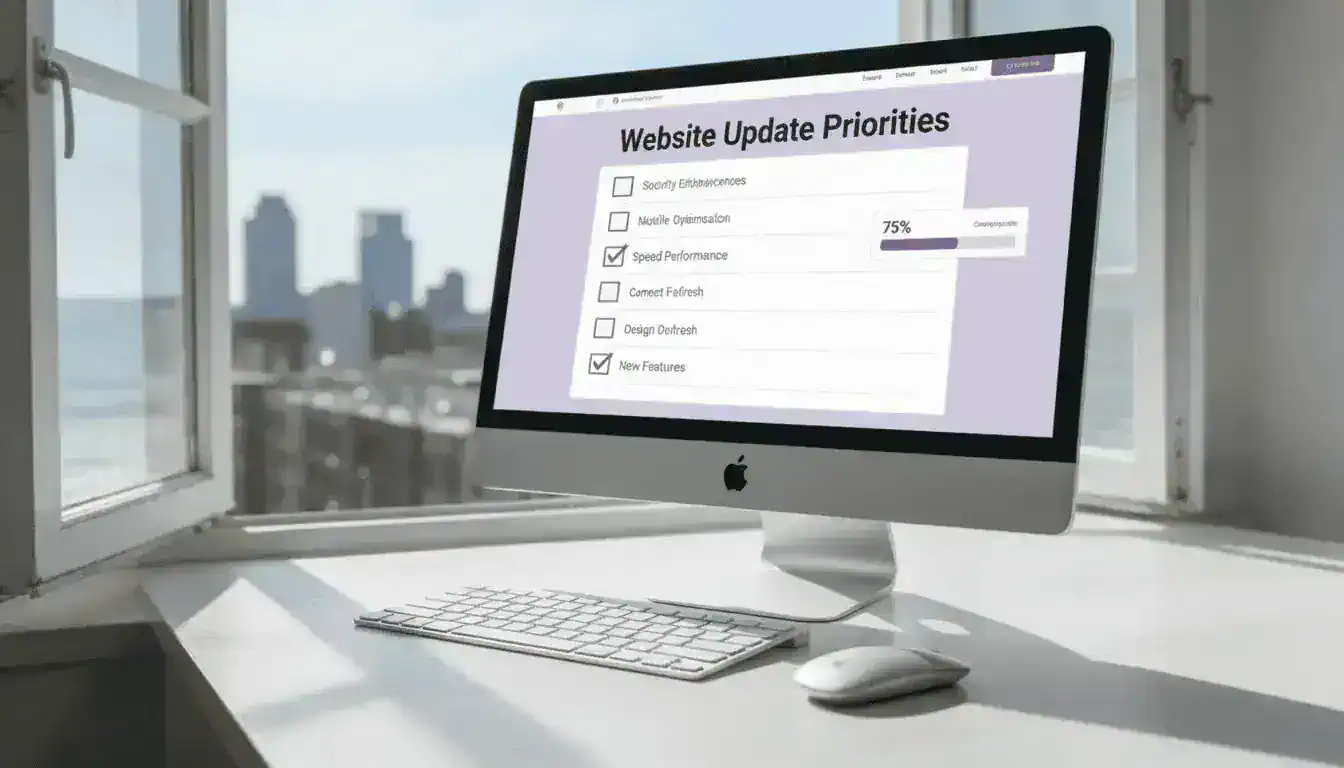
When you identify issues, prioritize fixes based on impact. Handle critical security and functionality problems immediately. Then tackle mobile optimization, speed, content updates, design refresh, and new features in that order.
Regular maintenance prevents small issues from becoming big problems. A little attention throughout the year is much easier than letting everything pile up until a complete redesign is the only option. Your website should be working for your business, not against it. If i